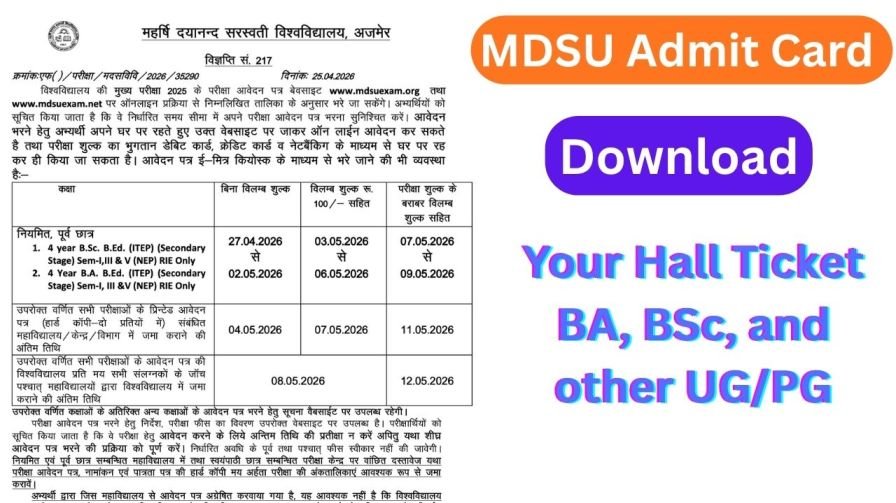
Great news for all students of Maharshi Dayanand Saraswati University (MDSU), Ajmer — the much-awaited MDSU Admit Card 2026 is now officially available for download. If you are scheduled to appear in any undergraduate (UG) or postgraduate (PG) examination this year, your hall ticket is ready and waiting for you on the university’s official exam portal.
Missing your admit card on exam day is not an option. It is the single most important document you must carry to the examination centre — no exceptions. So whether you are a previous year student or a final year candidate, read this complete guide to download your MDSU Hall Ticket 2026 smoothly, without any last-minute confusion.
What Is the MDSU Admit Card 2026?
The MDSU Admit Card 2026 is an official entry pass issued by Maharshi Dayanand Saraswati University, Ajmer, to all registered students appearing in the annual examinations. This document verifies your identity, confirms your exam centre, and carries all critical details about your scheduled paper.
This year, the university has released admit cards for:
- MA Indian Music (UG/PG)
- MA Drawing & Painting (UG/PG)
- Various other UG Previous Year and UG Final Year examinations
- Multiple PG Semester courses
Important: The university has issued hall tickets in online mode only. No physical admit card will be sent by post or courier to any student’s address.
Quick Overview — MDSU Admit Card 2026 at a Glance
| Detail | Information |
|---|---|
| University Name | Maharshi Dayanand Saraswati University (MDSU) |
| Location | Ajmer, Rajasthan |
| Admit Card Status | Released ✅ |
| Exams Covered | UG Previous, UG Final, PG Courses |
| Official Website | mdsuexam.org |
| Download Mode | Online Only |
| Physical Copy by Post | Not Available |
| Required Credentials | Roll Number / Registration Number |
Why You Must Download Your MDSU Hall Ticket Immediately
Most students tend to leave admit card downloads until the last moment — and that is a mistake you do not want to make. Here is why acting early matters:
- Server Overload on Exam Eve: University portals often slow down or crash when thousands of students try to access them simultaneously the night before exams.
- Error Correction Takes Time: If any detail on your admit card is wrong — such as your name, roll number, or exam centre — you will need time to report it and get it corrected.
- Printing Arrangements: You will need a printed hard copy. Not everyone has a printer at home, so downloading early gives you time to plan.
- Peace of Mind: Knowing your exam date, time, and centre well in advance helps you prepare your schedule and travel arrangements.
How to Download MDSU Admit Card 2026 — Step-by-Step Guide
Downloading your hall ticket from the official MDSU exam portal is a simple process. Just follow these six steps carefully:
Step 1: Open your browser and go to the official examination portal — mdsuexam.org
Step 2: On the homepage, look for and click on the “Student Panel” link.
Step 3: A new page will load. Scroll down carefully and select your respective examination from the list of available exams.
Step 4: Enter your Roll Number or Registration Number in the required field, then click on the “Proceed” button.
Step 5: Your MDSU Admit Card 2026 will appear on your screen within a few seconds.
Step 6: Cross-check all the details on the screen, then download the PDF and take a colour or black-and-white printout for use on exam day.
Pro Tip: Save the downloaded PDF to both your phone and email for backup. A digital backup can be a lifesaver if your printed copy gets damaged or misplaced.
Details You Will Find on Your MDSU Hall Ticket 2026
Once you have downloaded your admit card, do not simply set it aside — verify every single detail mentioned on it. Here is a complete list of what your MDSU Hall Ticket 2026 should contain:
- ✅ Candidate’s Full Name
- ✅ Father’s Name
- ✅ Gender
- ✅ Registration Number
- ✅ Roll Number
- ✅ Candidate’s Photograph and Signature
- ✅ Name of the Examination
- ✅ Examination Centre Name and Address
- ✅ Examination Date and Reporting Time
If you notice even the smallest error in any of the above details — a spelling mistake in your name, a wrong roll number, or an incorrect exam centre — contact the university’s examination office immediately for correction. Do not wait until the day of the exam.
Common Mistakes to Avoid When Downloading Your MDSU Admit Card
Here are a few errors that students commonly make — and how you can avoid them:
| Mistake | How to Avoid It |
|---|---|
| Entering the wrong registration number | Double-check your enrollment documents before logging in |
| Not printing the admit card | Take a printout immediately after downloading |
| Ignoring errors on the hall ticket | Verify all details as soon as you download |
| Waiting until the last day | Download at least 5–7 days before the exam |
| Not carrying a valid ID to the exam | Always pair your admit card with a government-issued photo ID |
Frequently Asked Questions (FAQs) — MDSU Admit Card 2026
Q1. Where can I download the MDSU Admit Card 2026? You can download it from the official examination portal at mdsuexam.org by logging in through the Student Panel.
Q2. What do I need to log in and download my hall ticket? You need your Roll Number or Registration Number to access the admit card.
Q3. Will MDSU send the admit card by post? No. The university has made it clear that hall tickets will only be issued online. No physical copies will be dispatched.
Q4. What should I do if there is a mistake on my admit card? Contact the MDSU Examination Authority immediately with your enrollment details and get the error corrected well before the exam date.
Q5. Is it mandatory to carry a printed copy to the exam centre? Yes, absolutely. You must carry a printed hard copy of your MDSU Admit Card 2026 to the examination hall. A mobile or digital copy may not be accepted.