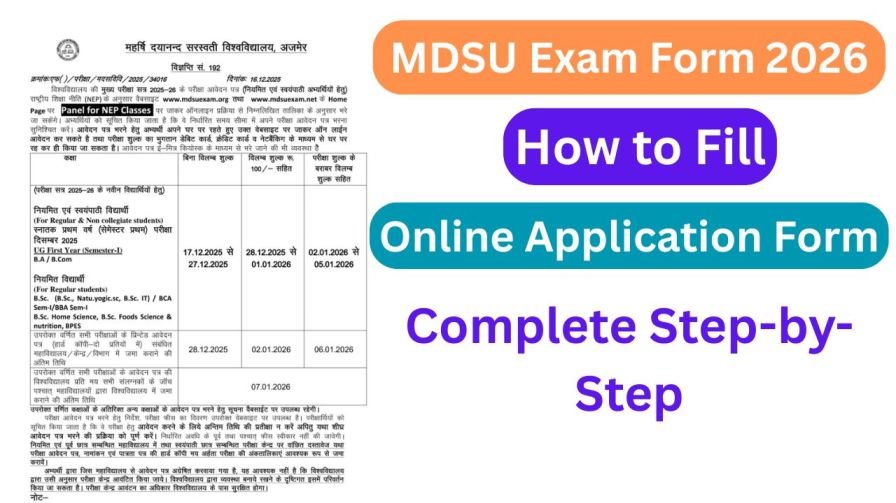
Exam season is approaching, and if you are a student of Maharshi Dayanand Saraswati University (MDSU), Ajmer, one task you absolutely cannot afford to overlook is filling your MDSU Exam Form 2026. Without a properly submitted exam form, you will not receive your admit card — and without your admit card, you simply cannot sit the examination.
The good news? The entire process is now fully online, and it is more streamlined than ever before. Whether you are a first-year student registering for the very first time or a final-year student who has done this before, this detailed guide will walk you through every single step — leaving nothing to chance.
MDSU Exam Form 2026 — Key Details at a Glance
| Detail | Information |
|---|---|
| University | Maharshi Dayanand Saraswati University (MDSU), Ajmer |
| Official Exam Portal | mdsuajmer.ac.in |
| Exam Form Mode | Online Only |
| Eligible Students | UG (BA, BSc, BCom, BCA, BEd, etc.) & PG (MA, MSc, MCom, MBA, etc.) |
| ABC/APAAR ID | Mandatory for form submission |
| Fee Payment Mode | Credit Card / Debit Card / Net Banking / UPI |
| Final Step | Submit form and print confirmation page |
| Admit Card | Released after successful form submission |
What Is the MDSU Exam Form and Why Is It Compulsory?
The MDSU Exam Form 2026 is an official online registration that every enrolled student must complete before appearing in any university examination. Think of it as your formal declaration to the university that you intend to sit the upcoming examinations for your specific course, year, and subjects.
Here is why this step is non-negotiable:
- No Exam Form = No Admit Card. The university only generates hall tickets for students who have successfully submitted and paid for their exam forms.
- Subject selection is done here. You officially declare which papers you are appearing for during this process.
- Your details are verified here. Information like your photograph and signature — which appear on the admit card — are captured during form submission.
- Fee payment is processed here. Your exam fee must be paid online at this stage.
Skipping or delaying this process can result in being barred from the examination entirely, so treat it with the urgency it deserves.
What Is the ABC / APAAR ID and Why Do You Need It?
One new and important requirement for the MDSU Exam Form 2026 is the ABC ID (Academic Bank of Credits) — also known as the APAAR ID (Automated Permanent Academic Account Registry). This is a unique 12-digit academic identification number issued to every student under India’s National Education Policy (NEP) 2020 framework.
The ABC/APAAR ID links your academic records across institutions, making it easier to track credits, transfers, and qualifications. MDSU has made this ID mandatory for exam form submission.
How to Generate Your ABC / APAAR ID
If you do not yet have your ABC/APAAR ID, follow these steps before attempting to fill your exam form:
- Visit the Academic Bank of Credits (ABC) Portal — abc.gov.in
- Click on “Student” and sign in using your DigiLocker account (linked to your Aadhaar)
- Select your university (Maharshi Dayanand Saraswati University) and academic year
- Your 12-digit ABC ID will be generated instantly
- Note it down carefully — you will need to enter it during your MDSU exam form submission
Important: Generating your ABC/APAAR ID is completely free of cost. Do not pay anyone claiming to do this on your behalf.
Documents and Information to Keep Ready Before You Start
Preparation is key to a smooth form-filling experience. Before you open the portal, gather everything listed below:
- ✅ MDSU Student Login Credentials (Roll Number / Registration Number + Password)
- ✅ ABC / APAAR ID (12-digit Academic Bank of Credits ID)
- ✅ Aadhaar Card (for identity reference)
- ✅ Previous Year / Semester Marksheet (for reference while filling academic details)
- ✅ Recent Passport-Size Photograph (scanned, white background, under 100KB)
- ✅ Scanned Signature (on white paper, clear and legible, under 50KB)
- ✅ Active Debit Card / Credit Card / Net Banking / UPI (for fee payment)
- ✅ Enrolled Subjects List (your course subjects for the current year/semester)
Having all of this at hand before you start will prevent you from having to pause midway — which can sometimes cause session timeouts on the portal.
How to Fill the MDSU Exam Form 2026 — Complete Step-by-Step Process
Follow each step carefully. Do not rush through the process, as errors made during form submission are difficult to correct later.
Step 1 — Visit the Official Examination Portal
Open your preferred web browser and navigate to the official MDSU examination portal at mdsuajmer.ac.in. Always make sure you are on the official website. Fraudulent look-alike websites exist that collect student data and fees without submitting forms to the university.
Look for the “Student Panel” or “Exam Portal” option on the homepage and click on it to proceed.
Step 2 — Log In or Register as a New User
Returning Students: If you have previously registered on the MDSU student portal, simply enter your existing login credentials — typically your Roll Number or Registration Number along with your password — to log in.
First-Time Users / New Students: If this is your first time accessing the portal, click on “New Registration” and complete the sign-up process by entering:
- Your full name (as per university records)
- Date of birth
- Mobile number
- Email address
- Course and enrollment details
You will receive your login credentials on your registered mobile number or email. Use these to log in and proceed.
Step 3 — Enter and Verify Your ABC / APAAR ID
After logging in, the system will prompt you to enter your ABC / APAAR ID. This is a mandatory field for 2026 exam form submission. Type your 12-digit Academic Bank of Credits ID carefully and verify it before moving forward.
If you have not generated your ABC ID yet, pause here and complete that process first on abc.gov.in, then return to the exam form.
Step 4 — Fill in Your Academic and Personal Details
This is the main section of the exam form. Fill in all required fields with complete accuracy:
- Course Name — Select your programme (BA, BSc, BCom, MA, MSc, MBA, etc.)
- Year / Semester — Choose the correct current year or semester you are appearing for
- Subject Selection — Carefully select all the subjects/papers you are enrolled in for this examination
- Personal Details — Confirm your name, father’s name, date of birth, gender, and category
- Enrollment / Roll Number — Verify these are correctly pre-filled or enter them if required
Pro Tip: Cross-reference your subject selection with your university enrollment card or fee receipt to make sure you do not miss any paper or accidentally select the wrong one.
Step 5 — Upload Required Documents
In this section, you will need to upload the following:
- Passport-Size Photograph — Recent, clear, white background, JPG format
- Signature — Signed on white paper, scanned clearly, JPG format
- Previous Marksheet — Upload your last year/semester marksheet if the portal requires it
Ensure each file is within the size limits mentioned on the portal. Oversized files will fail to upload. Compress images if necessary using free tools available online.
Step 6 — Pay the Examination Fee Online
Once your form is fully filled and documents uploaded, proceed to the fee payment section. The exam fee at MDSU varies depending on your programme and the number of subjects — confirm the exact amount displayed on your form before paying.
Accepted payment methods include:
- UPI (Google Pay, PhonePe, Paytm, etc.)
- Debit Card (Rupay, Visa, Mastercard)
- Credit Card
- Net Banking
After successful payment, a transaction confirmation will appear on the screen. Screenshot or note down the transaction ID — you will need this if any payment-related dispute arises later.
Step 7 — Submit the Form and Print Confirmation
After fee payment, click the “Submit” button to formally submit your exam form. The portal will generate a confirmation page containing your form submission details, fee payment receipt, and a summary of the subjects selected.
Do not skip this step: Download and print this confirmation page. It serves as your official proof of exam form submission and may be required during admit card collection or any future dispute with the university’s examination office.